
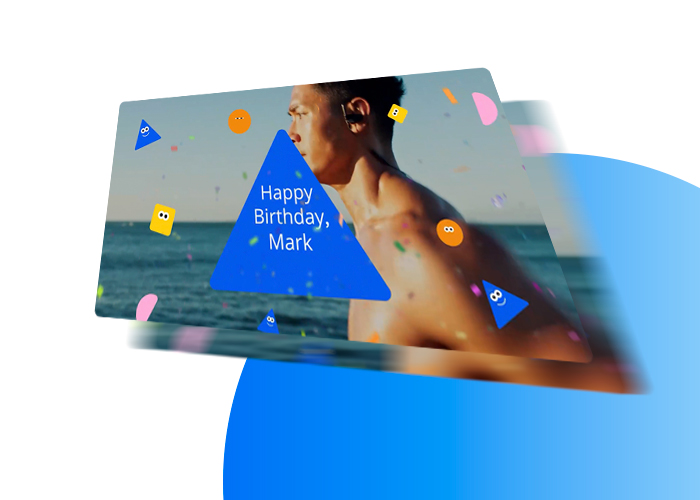
- Data integration (works with CRM, CSV/XLS spreadsheets, or API)
- Scalability and automation (from small audiences to high-volume video generation)
- Creative flexibility and brand control (beyond templates or avatars)
- Speed to launch and ease of execution (without heavy developer dependency)
- Security, data control, and compliance (e.g., GDPR, data residency)
- Support and guidance (expert help for setup, testing, and campaign optimization)
These criteria determine whether your campaign succeeds—or becomes difficult to launch and scale.


Get expert help
Not sure how these criteria apply to your use case?
- Connects directly to your CRM, spreadsheets (Excel/CSV), or API
- Uses your data automatically to personalize each video
- Requires repeated manual uploads, limits CRM/API use, or cannot personalize from the data fields your campaign actually needs.
- Works for both small audiences and high-volume video generation
- Generates videos automatically without manual steps
- Slows down, breaks, or requires manual work as volume increases
- Uses real video, dynamic content, and full brand control
- Adapts messaging based on data, segments, or use case
- Limits you to existing templates, avatars, or fixed formats
- Lets your team launch quickly with built-in tools and expert support
- No need to wait on developers or use multiple tools
- Requires developers, extra tools, custom hardware, or long setup before you can launch
Need help validating compliance requirements for your use case? Talk to an expert →
- Gives you control over where data is processed and how it’s handled
- Supports data residency, anonymization, and compliance (e.g., GDPR, Standard Contractual Clauses for secure international data transfers)
- Unclear where data is processed or how it’s protected
- Includes expert support to guide setup, testing, and optimization
- Helps your team avoid mistakes and move faster
- Leaves your team to figure everything out on your own
Get expert help
If you already have a campaign in mind, the next step is validating what will work in your case.

- A campaign idea
- Customer data (CRM or spreadsheet)
- A clear goal (onboarding, retention, activation, or conversion)
But many run into the same problems after choosing a platform:
- Campaigns take longer than expected to launch
- Teams become dependent on developers or external support
- Branding is compromised due to rigid templates
- Scaling beyond a pilot becomes difficult
- Internal stakeholders lose confidence in the project
- Compliance can slow projects—especially when handling personal data across regions (EU vs US)
- Data may need to remain localized or anonymized to meet regulatory and internal requirements
The problem isn’t personalized video—it’s choosing a platform or vendor that doesn’t match your team, workflow, or use case.
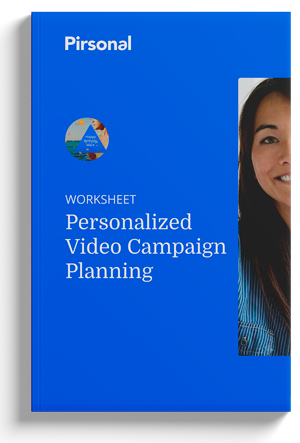
FREE Campaign Planning Worksheet
Plan Before You Choose a Vendor
Even with the right vendor, personalized video projects fail when teams aren’t aligned on goals, data, and ownership.
Use this framework to align your team before you choose—so your campaign launches faster and actually works.
Ungated PDF
- You need fast, low-volume campaigns
- Personalization is limited to simple elements (e.g., name or static overlays)
- You don’t need deep integration with your data
- You need to scale campaigns or personalize using real data
- You want full control over branding and messaging
- You need everything required to launch (landing pages, analytics, interactivity) in one platform
- Speed of content creation matters more than personalization depth
- You’re producing generic or internal communication
- You don’t need structured customer data
- You need real personalization based on CRM, CSV, or behavioral data
- You need to explain something clearly using visuals, text, and real video—not just a talking avatar
- Brand control and message accuracy are critical
- You have the budget and internal resources for a long implementation
- Your use case requires complex infrastructure or customization
- You’re planning a large, long-term rollout
- You need to launch quickly
- You want flexibility without heavy operational overhead
- Your team needs to test, iterate, or move fast
Many organizations evaluating personalized video fall into this category—especially when campaigns involve real customer data, multiple segments, or ongoing communication.
- You want to launch fast—with everything included and expert support guiding your first campaigns
- You need full control over branding and messaging when personalizing videos at scale
- You need to manage customer data safely—with control over where it’s processed and how it’s handled
- You only need simple video content without data-driven personalization
- You’re looking for fully DIY tools with no guidance
- Your use case is limited to avatar-based or AI-generated video content
The goal isn’t to choose the most advanced platform—it’s to choose the one that fits your team, your data, and how you need to launch.


Frequently Asked Questions About Choosing Personalized Video Software
- You have a contact list (CRM or spreadsheet)
- You have a clear use case (onboarding, retention, activation)
- You’re planning to reach at least ~1,000 contacts
- You want to improve how people understand and act on your message
See real examples and how this would work for your campaign.