Before you choose a platform, plan your campaign first

Personalized Video for Email

Embed Personalized Video in Email Journeys

Add and send personalized video by email using clickable thumbnails, GIF previews, HTML preview blocks, and hosted video experiences—so each recipient gets a message that feels relevant and leads to a clear next step.

See how personalized video can work with your audience, data, and email tools.

Can you actually embed personalized video in email?

Native video playback inside email is not reliable across major inboxes.
That is why most teams use email as the entry point—not the full video experience.

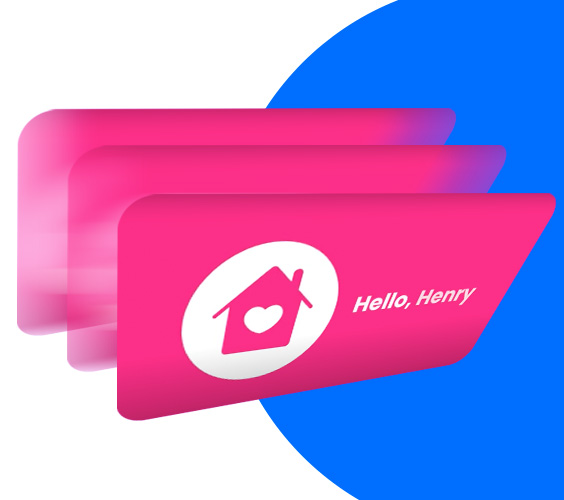
A personalized thumbnail, GIF preview, HTML preview block, button, or link opens a hosted video page where each recipient can watch their personalized video and take the next step.

With Pirsonal, the email preview can feel personal, the video can adapt to each viewer, and the landing page can guide the action you want them to take.

How do you send personalized video by email?

The most reliable way to send personalized video by email is to use the email as the entry point.

Instead of attaching a video file or relying on unsupported autoplay, each recipient receives a clickable preview—such as a personalized thumbnail, GIF preview, HTML preview block, button, or link—that opens their hosted personalized video experience.

With Pirsonal, that video experience can include a personalized landing page, interactive CTA, and engagement analytics, so your team can see who watched, clicked, and acted.
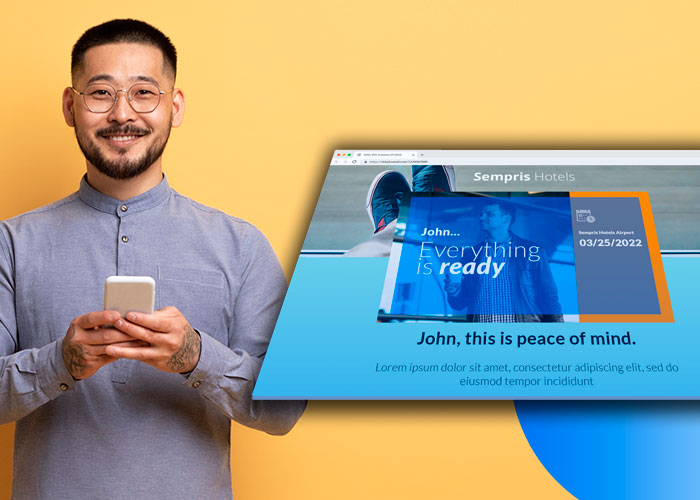

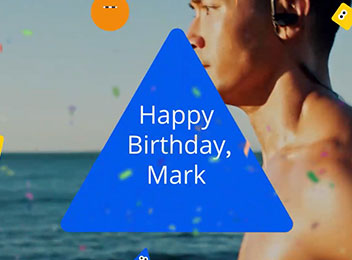
example of a personalized animated gif
Example of a personalized animated gif

The best ways to add personalized video to email

Different teams mean different things when they say “embed video in email” or “send personalized video by email.” Some want the video to play inside the inbox. Others want a GIF preview, a personalized thumbnail, HTML code, a button, or a link to a personalized landing page. Here is the practical difference:

MethodWorks across inboxes?Best forLimitation
Native video embedLimitedControlled environmentsNot reliable across Gmail, Outlook, and many email clients
Static personalized thumbnailStrongMost personalized video email campaignsRequires an image to load
Animated GIF previewStrongCreating motion and curiosityNo sound, larger file size, and possible loading delays
HTML-based personalized preview blockStrongLightweight personalized previews that work across many devicesDoes not show actual video motion unless combined with an image or GIF
Button or text linkStrongSimple email layoutsLess visual and less emotionally engaging

Pirsonal helps teams connect the whole journey: personalized thumbnail, GIF preview, HTML preview block, hosted video, landing page, interactive CTA, and performance analytics.
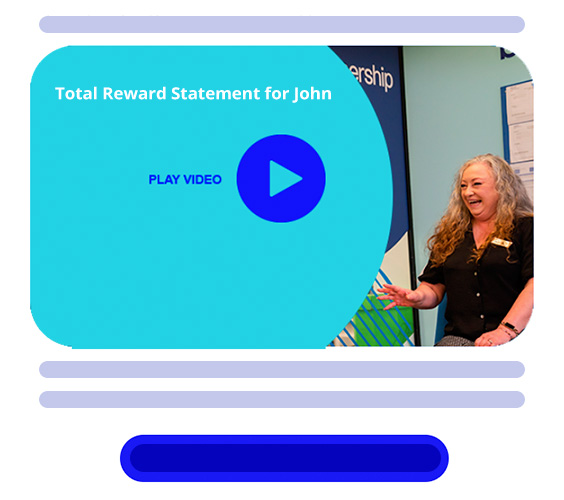
HTML block example for personalized video email
Expert tip

When to Use an HTML Preview Block

An HTML preview block can create the feeling of a personalized video thumbnail without relying only on an image.

For example, the email can include a styled HTML section with the recipient’s name, campaign message, play-button styling, personalized text, or dynamic fields from your email or CRM platform.

This is useful when:

  • your audience may not load images by default,
  • you want a lightweight email experience,
  • you need personalization that adapts easily,
  • you want stronger device compatibility,
  • or you want a fallback that still feels personal when images are blocked.

For many campaigns, the strongest approach is to combine methods: use an HTML preview block as the reliable structure, then add a personalized thumbnail or GIF preview when images are supported.

Why Personalized Video Emails Get More Attention

Generic emails ask people to care. Personalized video gives them a reason to care.

When the message reflects the viewer’s name, company, progress, status, renewal moment, impact, or next step, the email feels less like another campaign and more like something created for them.

That matters because people are more likely to click, watch, and respond when the message feels relevant.

Pirsonal helps teams turn customer data into personal video experiences—so your email campaign does more than reach the inbox. It gives each recipient a reason to act.
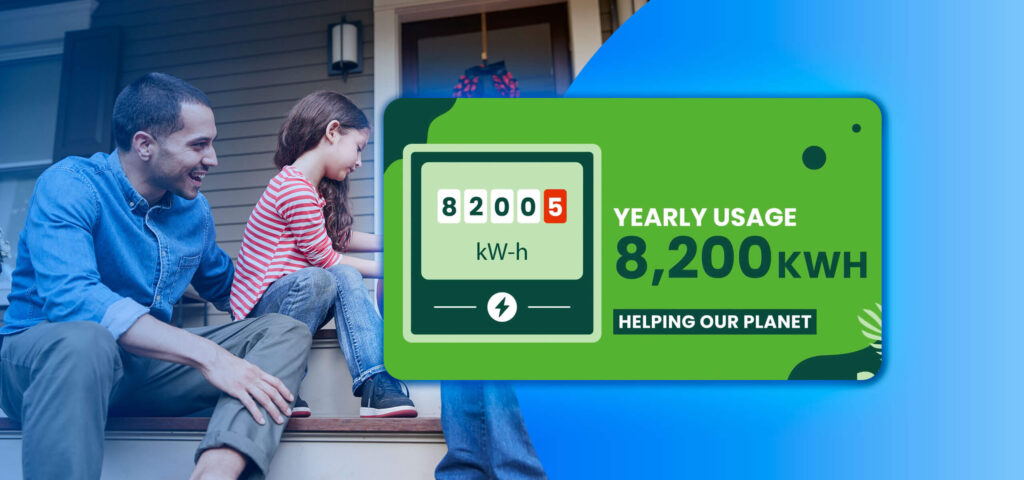

How to Send Personalized Video by Email with Pirsonal

You do not need to rebuild your email stack to send personalized video by email. Pirsonal works with the tools, data, and creative process your team already uses to create personalized video email journeys at scale.

1. Start with Your Campaign Data

Use a CSV or XLS file for one-time campaigns, or connect your CRM, apps, Zapier workflow, or API for automated journeys.

Most teams start with a spreadsheet when they want to launch quickly. CRM and API integrations are usually better when videos need to be triggered automatically by lifecycle events, form submissions, renewals, or customer behavior.

2. Create or Upload Your Base Creative

Your team can build the base video using the creative tools you already prefer, such as Canva, After Effects, Premiere Pro, or agency-produced assets.

Pirsonal then helps turn that creative into a dynamic video template. Teams can also use Pirsonal Editor directly from the browser to create and manage dynamic templates.

3. Personalize the Video Experience

Define what changes for each viewer: text, images, scenes, audio, thumbnail, call to action, or landing-page content.

This is where the campaign becomes personal—not just in the email preview, but across the full experience after the click.

4. Send Through Your Existing Email Tools

Use your current email platform or CRM, such as HubSpot, Mailchimp, Klaviyo, Salesforce, Gmail workflows, or another ESP.

Pirsonal creates the personalized video links, thumbnails, landing pages, or files your team needs for distribution. Depending on your email setup, your campaign can use a clickable image thumbnail, GIF preview, HTML preview block, button, or personalized link to send each recipient to their hosted video experience.

5. Track Engagement and Action

Measure more than views. With Pirsonal, you can see video plays, engagement, CTA displays, CTA clicks, and per-video performance.
This helps your team understand what people watched, where they engaged, and whether the campaign moved them to act.

Get expert help

Want to See How This Would Look in Your Next Email Campaign?

We’ll show you how personalized video can work with your audience, data, and email tools—so you can understand the full experience before committing.
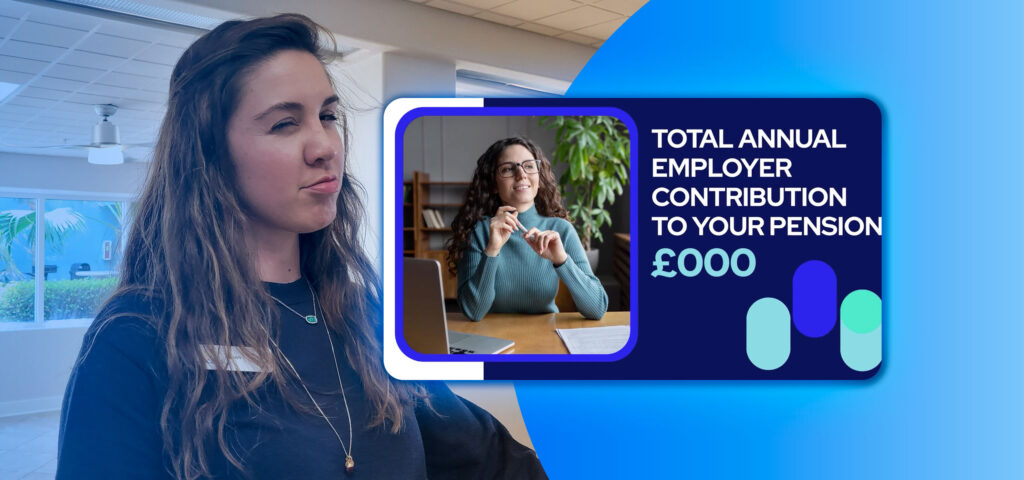
Common use across industries

Where Personalized Video Works Best in Email Journeys

Personalized video is most useful when the message matters and generic email is too easy to ignore.

Customer Onboarding

Help new customers understand what to do next, what matters most, and how to activate with confidence.

Lifecycle and CRM Campaigns

Use customer data to make each message relevant to the viewer’s stage, behavior, or relationship with your brand.

Retention and Renewal

Reinforce value before silence becomes churn by showing customers their progress, usage, impact, or next best step.

Re-Engagement

Give inactive contacts a personal reason to return, continue, complete a process, or speak with your team.

Membership and Loyalty

Show members their contribution, status, rewards, progress, or year-in-review story in a way that feels personal and worth sharing.

Enrollment and Student Reactivation

Make next steps clear and personal for students who feel overwhelmed, delayed, or unsure about what to do next.

Ecommerce and Remarketing

Use personalized video carefully in cart recovery, post-purchase, loyalty, or VIP flows when the message needs to feel more relevant than a standard promo email.

When every interaction matters, your communication needs to do more than inform—it needs to move people to act.

CASE STUDY

How Reed in Partnership Used Personalized Video to Improve Benefits Awareness

Reed in Partnership wanted employees to better understand the full value of their compensation and benefits.

The challenge was not simply sending another internal email. Employees needed to understand salary components, employer pension contributions, additional payment eligibility, and benefits options in a way that felt clear, relevant, and easy to act on.

The Campaign

Reed in Partnership wanted to help more than 2,600 employees understand the full value of their compensation and benefits.

The goal was not simply to send another internal message. The team needed employees to clearly understand salary components, employer pension contributions, additional payment eligibility, and benefits options—while keeping the experience secure, measurable, and aligned with HR and data requirements.

The Approach

Instead of relying on static benefits communication, Reed in Partnership worked with Pirsonal to create a secure personalized total reward statement experience.

With Pirsonal, the team was able to:

  • Deliver a personalized communication that led each employee to an individualized video experience
  • Explain compensation, pension contributions, and benefits in a clear visual format
  • Show contextual calls to action based on employee eligibility
  • Track engagement through video plays, engagement levels, and CTA interactions
  • Support GDPR-aligned infrastructure and avoid exposing sensitive personal information in URLs

Each experience was designed to make complex information easier to understand—and guide employees toward the next relevant action.

The Result

The campaign helped Reed in Partnership move beyond one-way benefits communication and introduce measurable engagement into a sensitive HR communication moment.

The results included:

  • 66.2% employee engagement rate
  • 30% personalized in-video CTA interaction rate
  • Increased employee inquiries related to benefits and pension contributions

What This Proves

This personalized video email campaign did not rely on attention alone. It worked because:

  • The message was personal
  • The information was easier to understand
  • The next step was contextual
  • The experience after the click was measurable
  • The communication respected security and data requirements

For email journeys, this is the key lesson: the email is only the entry point. The personalized video experience is what helps people understand, engage, and act.

When a Simple Video Email Tool Is Not Enough

Simple video email tools are useful when a sales rep wants to record a quick one-to-one message. But marketing, CX, enrollment, and lifecycle teams often need something different. They need to create many personalized videos from customer data, send them through existing email journeys, and measure what each person does next.

If you need…Simple video email toolsPirsonal
One-to-one recorded videoStrong fitPossible, but not the main use case
Hundreds or thousands of unique videosLimitedStrong fit
CSV, CRM, or API personalizationPartialStrong fit
Personalized email previewsBasicLightweight personalized previews that work across many devices
Personalized landing pagesBasic or limitedBuilt in
Interactive CTAsOften limitedBuilt in with Pirsonal Player
Aggregate and per-video analyticsBasicBuilt in
Expert help to launch the campaignUsually limitedIncluded from day one
Security and compliance supportVariesISO 27001, hosting, privacy, and deletion options

Pirsonal is built for data-driven personalized video email campaigns—not just recorded video messages.
Built for Real Email Workflows, Not Inbox Gimmicks

Personalized video should not mean attaching large video files, relying on unsupported autoplay, or forcing heavy code into your email template.

The safer approach is to use a lightweight entry point that works with real inbox behavior: a personalized thumbnail, GIF preview, HTML preview block, button, or link that opens a hosted, personal video experience.

HTML preview blocks are especially useful when you want a personalized, lightweight email experience that does not depend entirely on image loading.

Pro Tip

HTML preview blocks are especially useful when you want a personalized, lightweight email experience that does not depend entirely on image loading.

For better results, your team should still follow normal email best practices: use a trusted sending platform, segment your audience, keep the email clear, test before launch, and make the next step obvious.

Pirsonal helps you build around those realities instead of fighting them.

Why Teams Choose Pirsonal for Personalized Video Email Journeys

Teams choose Pirsonal when the campaign needs to feel personal, stay on brand, and drive action—without creating extra work for marketing, creative, or technical teams.

Built Around Your Email Tools

Use Pirsonal with the email and CRM systems your team already uses. You can start with a spreadsheet or connect your CRM, apps, Zapier workflows, or API.

Flexible Email Preview Options

Use the right email entry point for each campaign: personalized thumbnail, animated GIF preview, HTML preview block, button, text link, or hosted personalized landing page.

Personalization Beyond the Thumbnail

Personalize the video, email preview, thumbnail, landing page, message, CTA, and viewer experience—not just the recipient’s first name.

Creative Flexibility Without Manual Production

Start from Canva, After Effects, Premiere Pro, agency assets, or Pirsonal Editor. Build once, personalize many versions.

Expert Help from Day One

Pirsonal helps with strategy, template creation, setup, testing, video generation, delivery support, analytics, and optimization.

Interactive CTAs and Analytics

Use Pirsonal Player to guide action inside the video experience and measure what people watch, click, and do next.

Security for Serious Customer Data

Pirsonal supports secure personalized video workflows with ISO 27001 certification, hosting options, privacy controls, anonymized URLs, and deletion options.

Want to see how this works inside a real platform?

What This Looks Like in Practice

A marketing team wants to send a personalized re-engagement campaign to 5,000 contacts. Instead of sending the same email to everyone, they create one base video and use customer data to personalize the message, email preview, thumbnail, landing page, and CTA.

Each recipient receives an email with a personalized preview. Depending on the campaign, that preview might be an image thumbnail, GIF, HTML block, button, or personalized link.

When they click, they open a hosted page with their own video and a clear next step. The team can then see who watched, who clicked, and which messages created action.

That is the difference between adding a video to an email and building a personalized video email journey.

Run Personalized Video Campaigns Across Every Channel

With Pirsonal, your personalized video campaigns don’t live in one place. Personalized video can be delivered across the channels your team already uses—so communication stays consistent, relevant, and easy to act on.

Email Campaigns

Embed personalized video in email journeys to increase engagement and click-through rates.

SMS Campaigns

Deliver direct, personalized video experiences through messaging channels for immediate interaction.

WhatsApp Campaigns

Send personalized videos through WhatsApp as a video attachment, unique video link, or branded landing page—depending on what your campaign needs.

Direct Mail (QR & PURLs)

Connect offline campaigns to personalized digital experiences that drive response.

Customer & Employee Portals

Show personalized video when users log in or revisit your platform.

In-Product / Embedded (Cars, devices, apps)

Deliver contextual video experiences inside digital environments.

Shareable & Downloadable Video Files

Generate personalized video files (MP4, WebM, etc.) that can be downloaded, shared, or used across external platforms. Ideal for teams that need full control over distribution.

More Ways to Turn Personalized Video Into Action

Explore practical resources on personalized video ROI, ecommerce conversion, and multichannel distribution—so your team can go beyond the email click and build campaigns people actually watch, understand, and act on.

How Personalized Video Campaigns Work

Learn how to use your CRM, spreadsheets, or APIs to automatically generate and deliver personalized video campaigns

How To Optimize Ecommerce Conversion Rates With Video

Learn how to use video marketing to optimize email marketing with video and increase conversion rates.

Reach more of your audience

Go beyond email and use multiple channels to ensure your videos are actually seen and acted on.

Frequently Asked Questions

Turn Email Clicks Into Personal Experiences People Act On

You already know how to reach your audience. Pirsonal helps you make the message personal—so people understand it, feel it, and take the next step.